Introduction
I wanted to learn how to develop a VR-game/experience. Within that I wanted to learn how to make handtracking available and how to use that for new and interesting interactions. After a while we went from handtracking to using normal controllers. But I still wanted to develop for VR.
Unity development
We had to learn how to make a VR experience in Unity. We did this by following a tutorial. As a gamedeveloper we had to help the non-developers with the tutorial. because we already knew how to develop in unity.
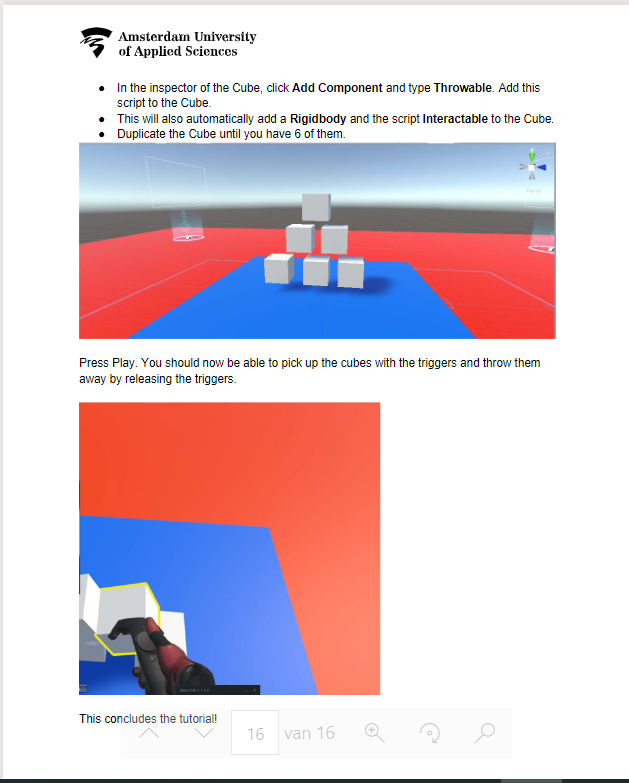
What I learned from this is how to use steamVR in unity, but I made my concept using OpenXR.
My own concept
I made my own concept using OpenVR. I did this because SteamVR had trouble connecting to my own oculus headset. My idea was to make an arena where you can grab a sword and swing your sword around to fight with something. In this case I made dummies with a healthbar.
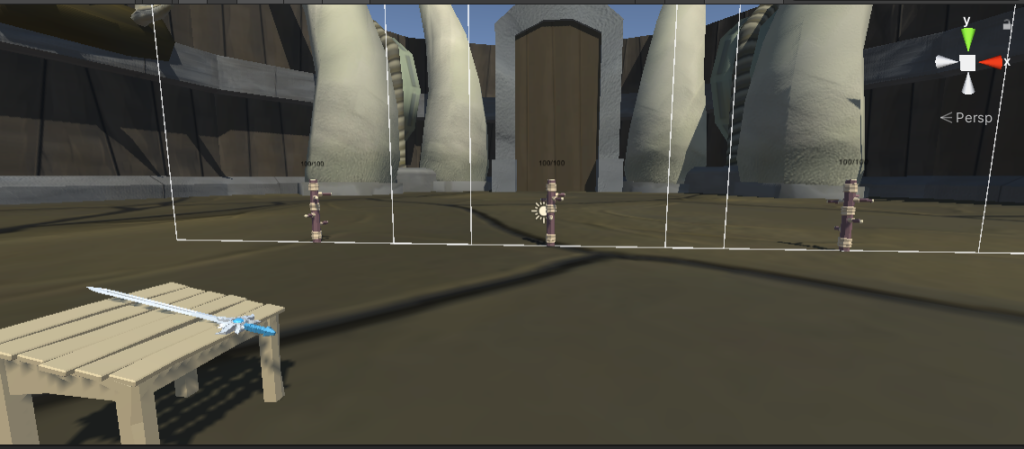
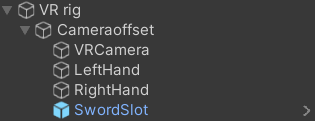
I first made the VRrig this is the most important because otherwise you can’t get in to the VR experience. This VRrig also has the hands to interact with objects.
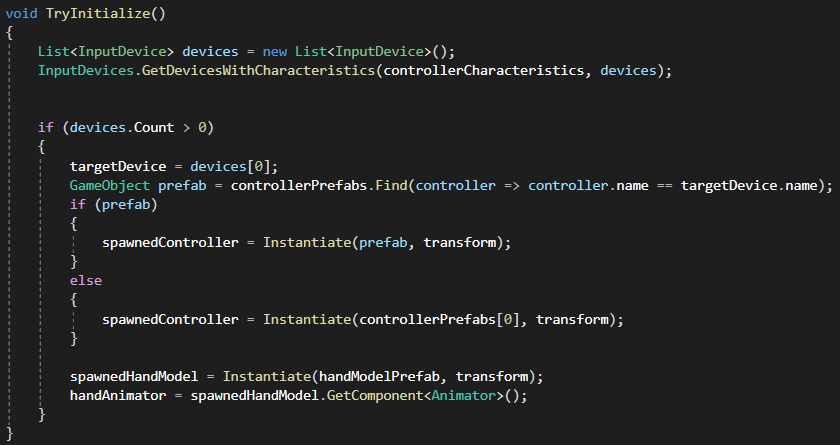
For the left and right hand I made a script that says it has to spawn hands or controllers with a boolean. For my game I just chose to keep the hands. I also made it animate using the grip and trigger buttons.
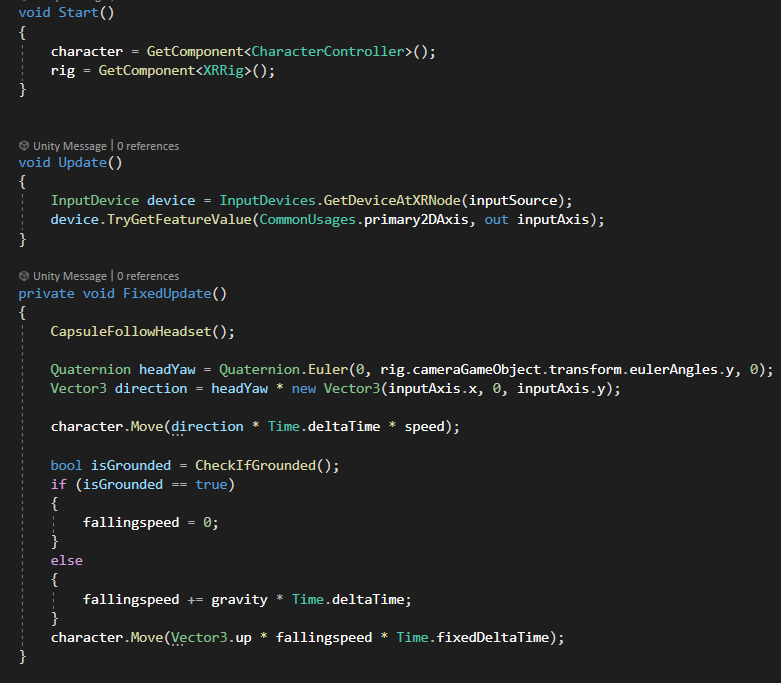
After VRrig and the hands were done. I made a script for continuous movement. I thought that continuous movement was the best option for this kind of game/concept.
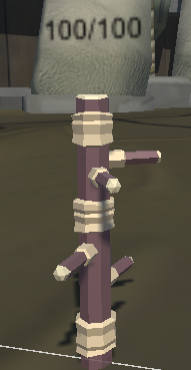
After that I imported the sword asset and made it interactible. I gave it a pivot if you grab it so it snaps into your hand in the good direction. When that was done I made dummies that you can hit each have their own health and text above it that updates how much it has left before it vanishes.
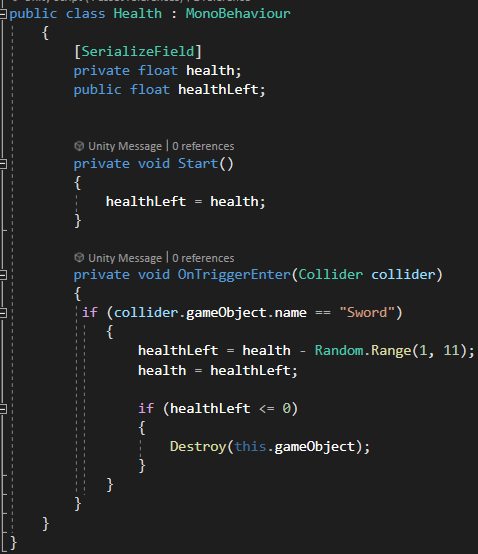
And every hit has a random damage assigned to it.
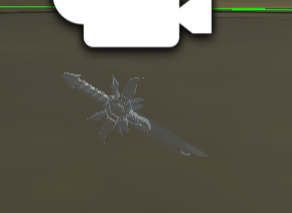
When that was done I made a snappoint where you can store your sword. This point is attached to the rig. This makes it seem you have a belt where you store your sword.
If I wanted to add anything else I would want to make an AI that you can fight or make this multiplayer so you can fight someone else.
Shoeby – hand tracking and gesture recognition
Using this video: https://www.youtube.com/watch?v=vSia7t_WlbQ. I put hand tracking in the project with the oculus intergration package and made gesture recognition.
Putting hand tracking into unity is pretty easy. Using the oculus package for unity you can put a few components into the scene and there you have hand tracking. The gesture recognition was harder since I had to program that.
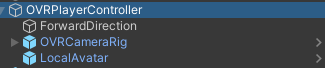
With the OVRPlayerController prefab the scene camera is ready for VR. In the OVRCameraRig you have the left and right anchors for the hands. In these anchors you have to put the OVRHandPrefab. Then in the OVRHandPrefab you have to choose the left and right hand and then it’s done.
Gestures
By following this tutorial I made the gesture recognition: https://www.youtube.com/watch?v=lBzwUKQ3tbw
For the gesture recognition I have to get the data of the bones of the hand/fingers. The position of those. So we can save that data for certain gestures and then look at what gesture is closest to what the hand is doing.
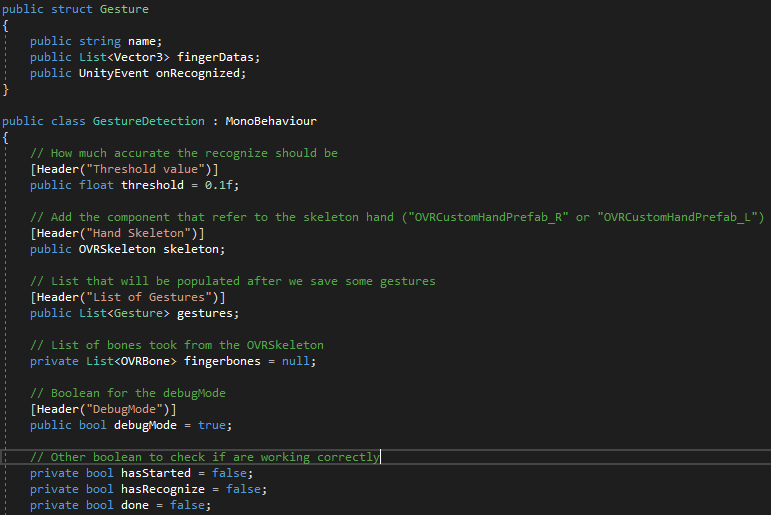
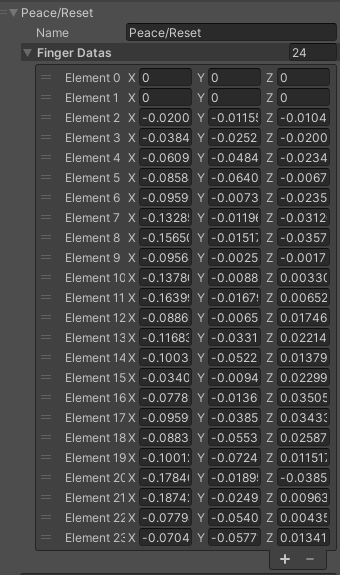
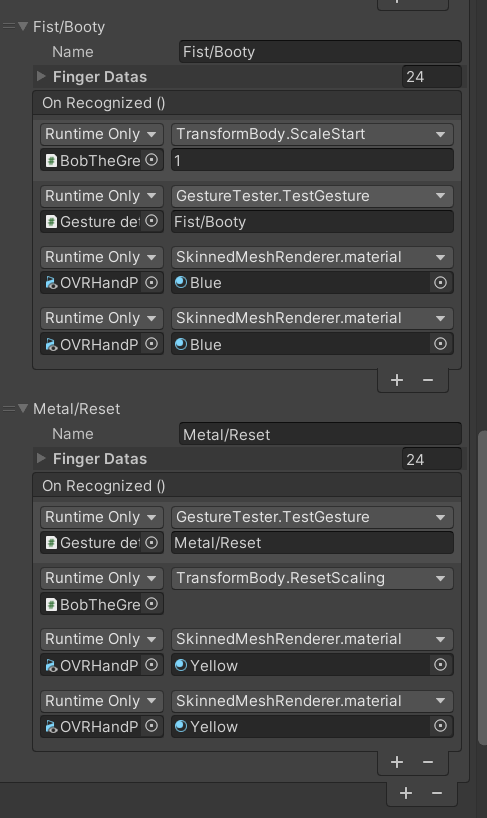
Using unity events we can invoke an event if the script detects a certain gesture.
Sprint 4 – Buttons/switching environment
In this sprint we wanted to have an environment that can switch when a user is done with the current gamestate. So for this I made a button prefab with script. This was also made for future things that needed buttons, so the code is reusable.

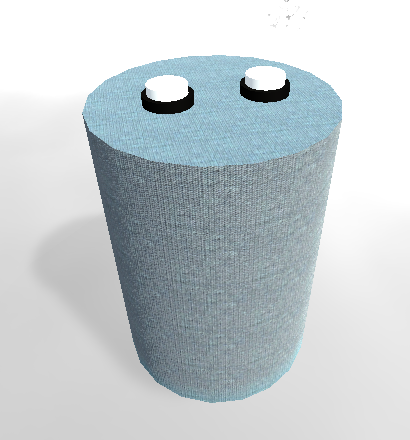
The main prefab is a pillar with two buttons on it. The buttons have a base and a clicker. The clicker has a configurable joint with a linear limit so it acts like it has a spring if you push it down.
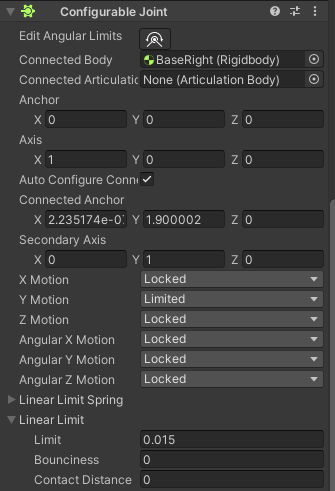
It also has a box collider so you can push the button down. After you push the button a script looks at how far you pushed it down. if it’s pushed it looks at the threshold to see if it’s pressed and then uses a unityevent to invoke a script or other thing you want to happen, the same for if you release the button.
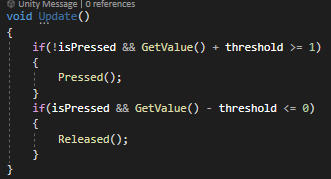
Using this I made a script that activates objects and lets them rise to the surface.
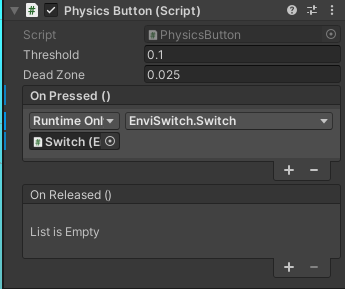
EnviSwitch.Switch starts a coroutine that lets objects rise above the water, but only once. The button was made using this tutorial: https://www.youtube.com/watch?v=HFNzVMi5MSQ.

NavMesh AI
I made a script for a navmesh agent using waypoints to let it walk. This will be used for avatars on a runway. For this first time I baked the whole ground as walkable and made four waypoints. If the runway is made and avatars are on it, I will use certain layers to make only the runway walkable. I made a script with a list for the waypoints, this means you can add as many or as few waypoints as you like.
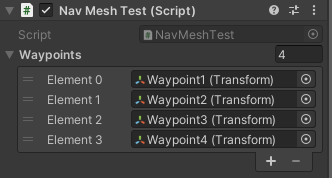
In the update method the position of the agent is set to the first waypoint and when he reaches the waypoint he goes to the next and so on. The only thing is the y-position of the waypoint needs to be the same y-position as the agent.

this was made by following this tutorial: https://medium.com/nerd-for-tech/creating-modular-waypoint-system-in-unity-e9e56a25d58b
Dialogue
We needed a dialogue system for the bee to help people through the gameflow. This is why I created a dialogue system. I made it by using a tutorial: https://www.youtube.com/watch?v=_nRzoTzeyxU
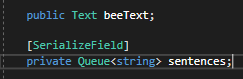
I made a script that I use to queue sentences and display them in the text object I have in the scene.
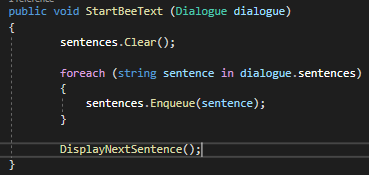
It has a StartBeeText function so it clears all sentences in the queue and then enqueues all sentences. After that it shows the first sentence in the queue with DisplayNextSentence.
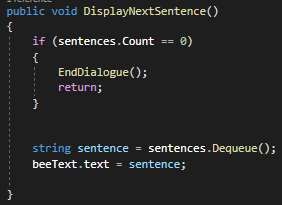
In DisplayNextSentence it looks if there are still sentences left, if not end the dialogue otherwise set the next sentence in the queue.
Then I have another script named DialogueTrigger this triggers the dialogue. And I have another script that passes itself into the dialogue manager.
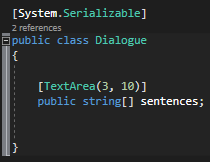
This is the dialogue class that stores the data for the dialogue.
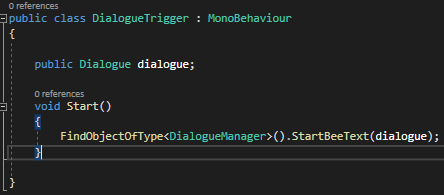
And this is the dialogue trigger that sets the first text and has all the sentences for the dialogue. By using this you can reuse the dialoguetrigger script to make different dialogues. This will be necessary because I want to make an onboarding experience that is not part of the bee text. Because flat UI doesn’t work with the environment we have at the moment.
Environment switch
We wanted to switch the environment when in the experience to make different stages within the experience.
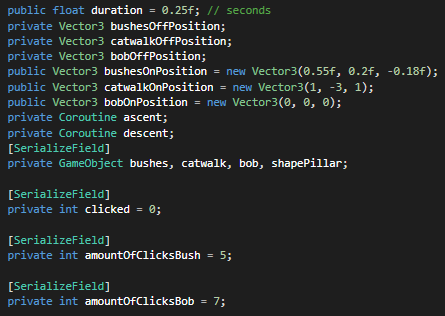
I used coroutines to make the environment switch. In the beginning I need the positions of the gameobjects that need to be moved. In this case the bushes, the catwalk and the avatar. After that I need the position where they need to be.
I also have an int for how many times someone clicked and two integers for when to switch.
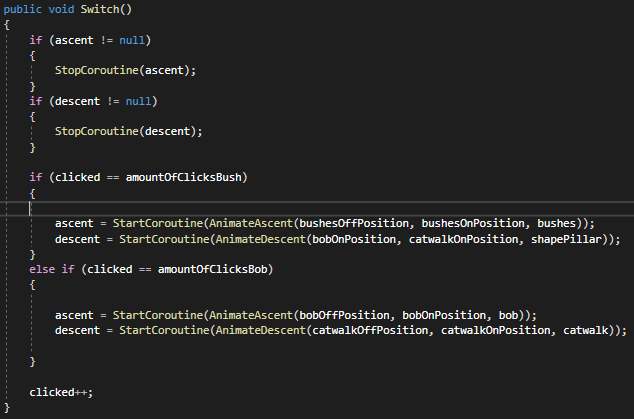
Then I have the switch functions that starts the coroutines to ascent and descent when a certain amount of clicks is made.
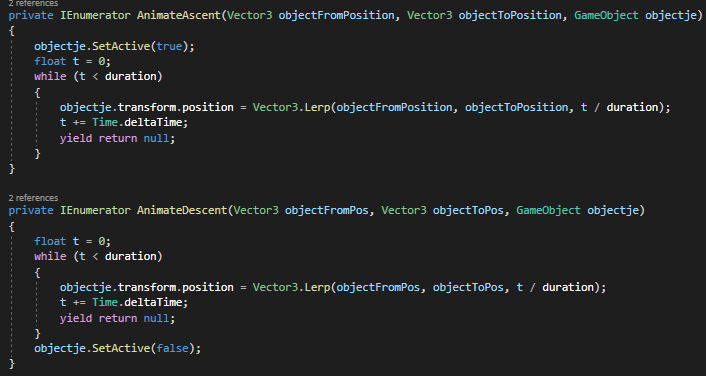
And I have the coroutines that make the gameobjects descent and ascent when necessary. It lerps between the position it is and the position it has to be for a smooth transition. It is made like this so you can start a coroutine with any gameobject, you just have to give it the start position, the end position and the gameobject.
Primary button reactor
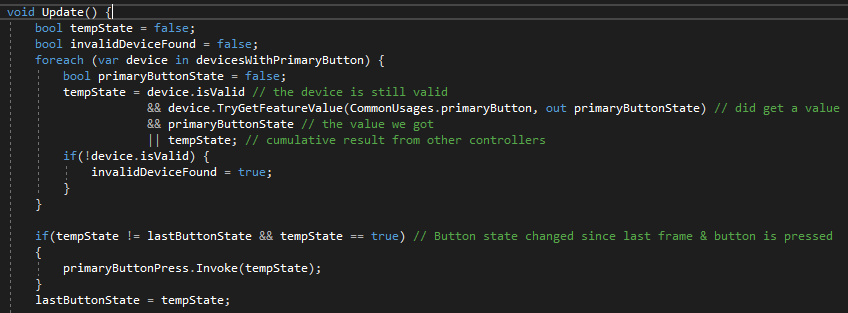
We needed to test a script so I made a script that listens to the primary button press. After the testing we still needed it for the carousel to spin. I made it using the unity documentation: https://docs.unity3d.com/Manual/xr_input.html.
By using a PrimaryButtonEvent it invokes the event you put in it when pressing the primary button on your controller. This was needed because we did device-based interactions instead of action-based interactions. Next time I want to use action-based interactions because those are the newer interactions made by unity and people online are saying it’s easier to use.
Screenshots/Email
At the end of the experience we wanted the user to make a screenshot of their creation so they can share it online and win prices. This is why I made a script to make screenshots. Unity has a build in screenshot function, so the only thing I needed to do is make a folder where the screenshots would be saved, convert them to .PNG files and give them a random name so they don’t overwrite eachother.
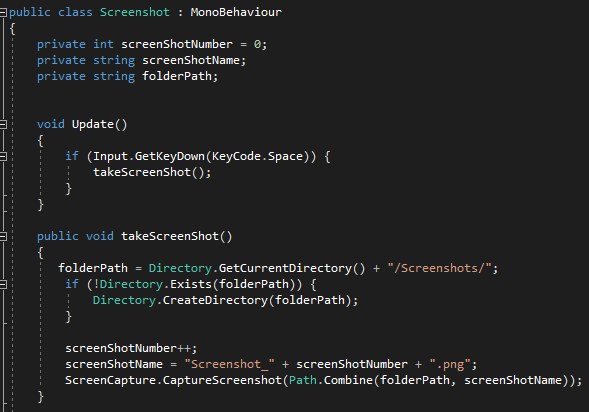
I also thought about memory usage so I wanted to make a method that deletes the whole folder after quiting the application. This is because the screenshots would be mailed to the user after using the application.
In my spare time I dabbled around with how to email someone using unity. So I looked at this site: https://sushanta1991.blogspot.com/2021/10/how-to-send-email-from-unity-using.html. This was in our original scope, but after some feedback and looking at priorities we scraped the networking from our scope. But the script isn’t really safe because you have to enter your credentials in the script itself which means that if someone ever gets to the code they can see your email and password. If I would continue with this I would like to explore how to make it safer.
Learning goals at the end
Even after we put handtracking on a hold I did learn some things about it and how to put it into a game/experience. I really think I’ve progressed in how I write code and how to go about it. This also thanks to the feedback I recieved from the teachers. Setting clear goals and not just make something and hope for the best. Also to make something and reiterate on it instead of throwing it away.
The new things added after the feedback are:
- Primary reactor button
- Screenshots/email